You only get one shot at an interview.
Don't mess it up.
Interview Speaker helps you ace your interviews with realtime AI assistance. Completely invisible and undetectable.





an advantage
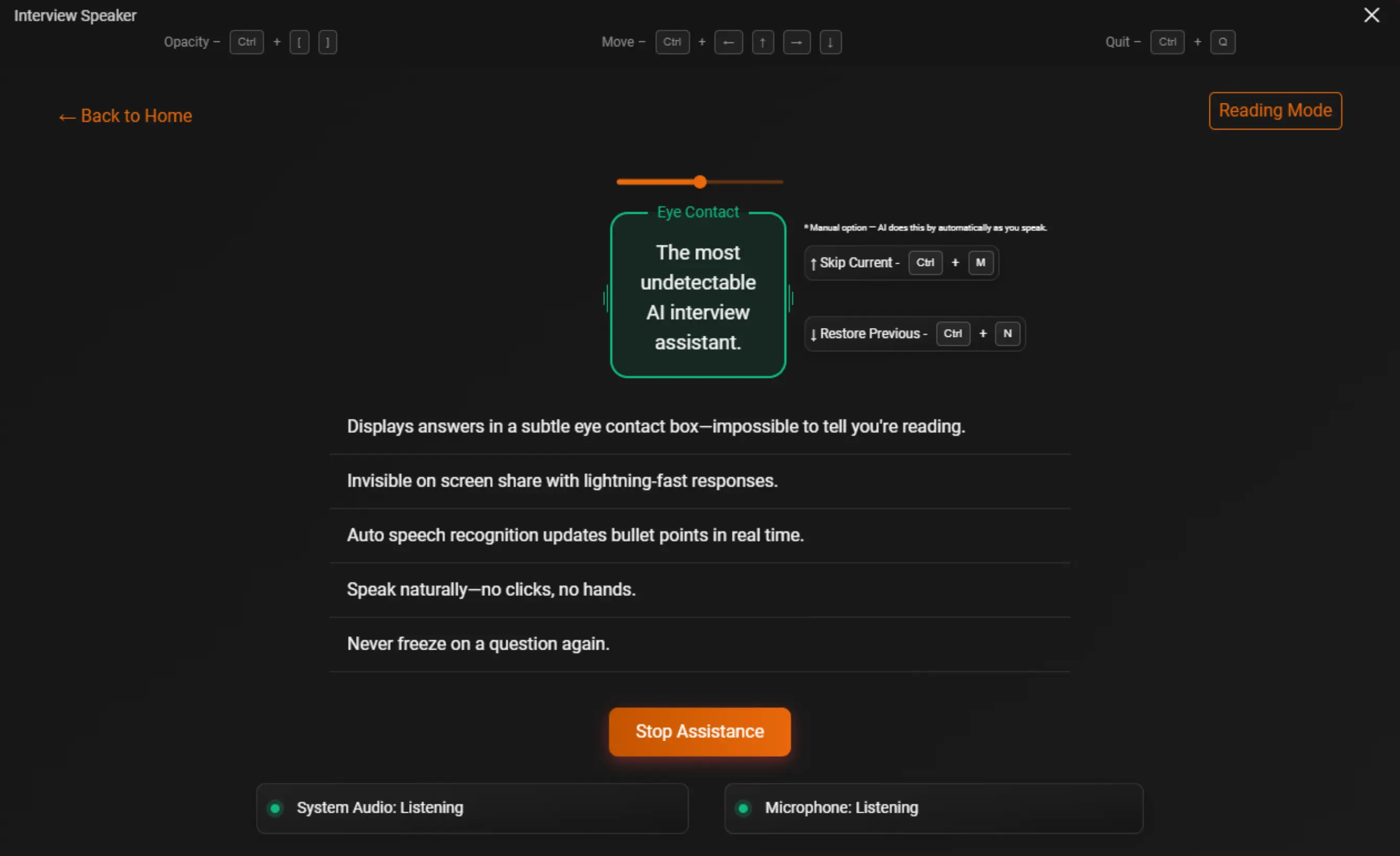
Undetectability
Here's how we ensure that Interview Speaker is undetectable during technical interviews.
Proof
Interview Speaker users have received offers from top companies. You can too.
Got an offer using Interview Speaker? Email us your offer letter to get your next month free! Contact Us ->
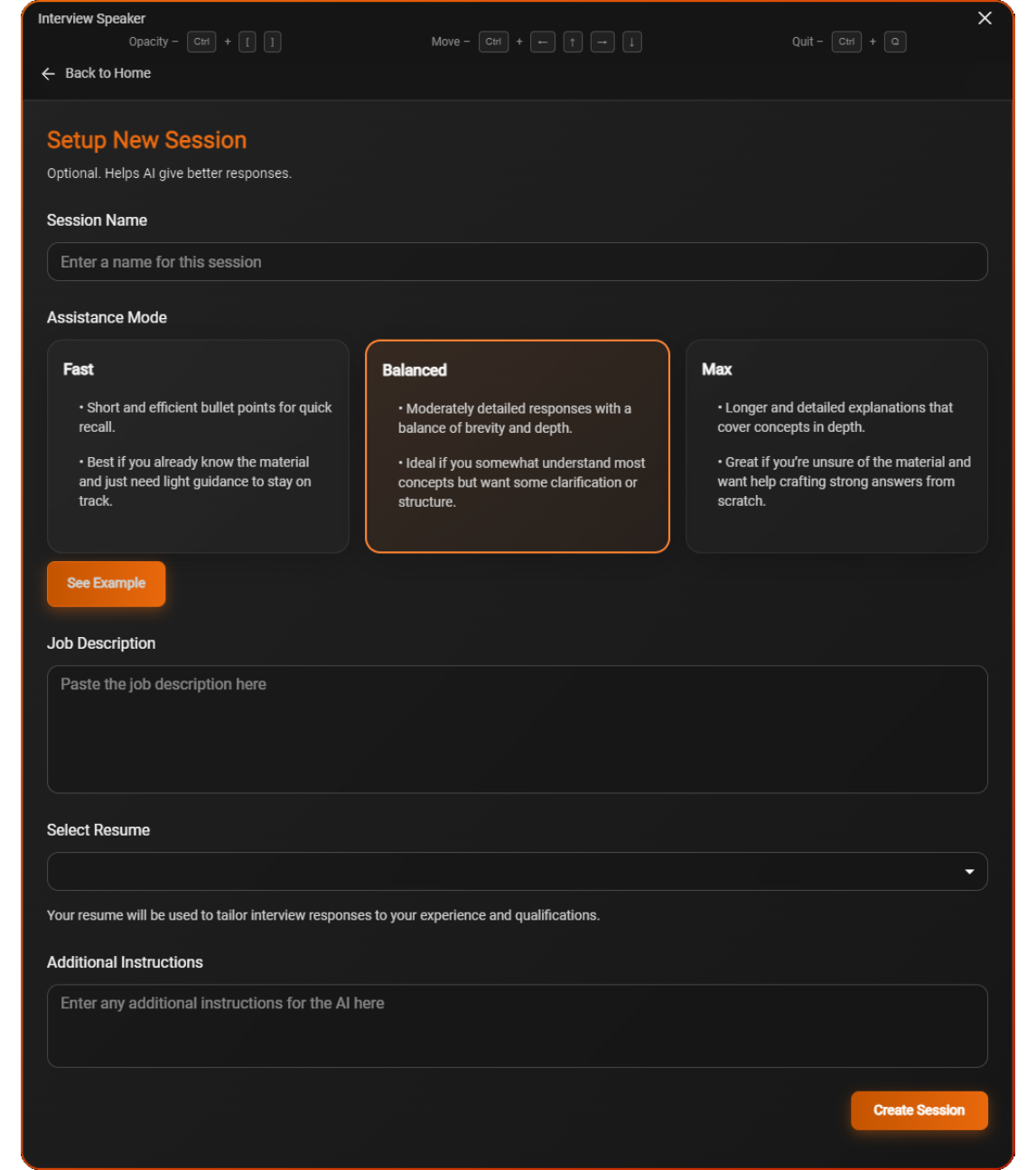
1. Create a new session
Create a new session by giving the Job Description, selecting your resume, and selecting your assistance mode.
2. Get Realtime Assistance
Get lightning fast assistance to any interview question to help you formulate your answers.
3. Speak Naturally
Speak through the bullet points naturally, while using our intuitive keyboard shortcuts to skip bullet points, move around the app, change opacity, all without breaking your flow.
Good for EVERY type of interview
No matter what role or what level. Interview speaker will give you the advantage.
Simple pricing for unlimited interview assistance.
Choose a plan that fits your interview schedule. Unlimited usage, no limits, no surprises.
Interview Speaker Pro
Monthly Subscription
Billed monthly. Cancel anytime.
- Windows Download (Mac Coming Soon)
- Unlimited usage per month
- Real-time bullet point responses
- Fully undetectable & screen-share invisible
- Auto speech recognition (Coming Soon)
- Intuitive keyboard shortcuts
- Priority support
Interview Speaker Pro
Most Popular
Billed annually. Save over 50%.
- Windows Download (Mac Coming Soon)
- Unlimited usage per month
- Real-time bullet point responses
- Fully undetectable & screen-share invisible
- Auto speech recognition (Coming Soon)
- Intuitive keyboard shortcuts
- Priority support
Frequently Asked Questions
Still Invisible?
Interview Speaker still works with most modern video platforms. Here's how it performs on the most popular ones:



You'll need to either use Zoom version 6.16 or older, or turn on Advanced capture with window filtering in your Zoom settings. This is important to make sure everything works smoothly.